It takes the backups too
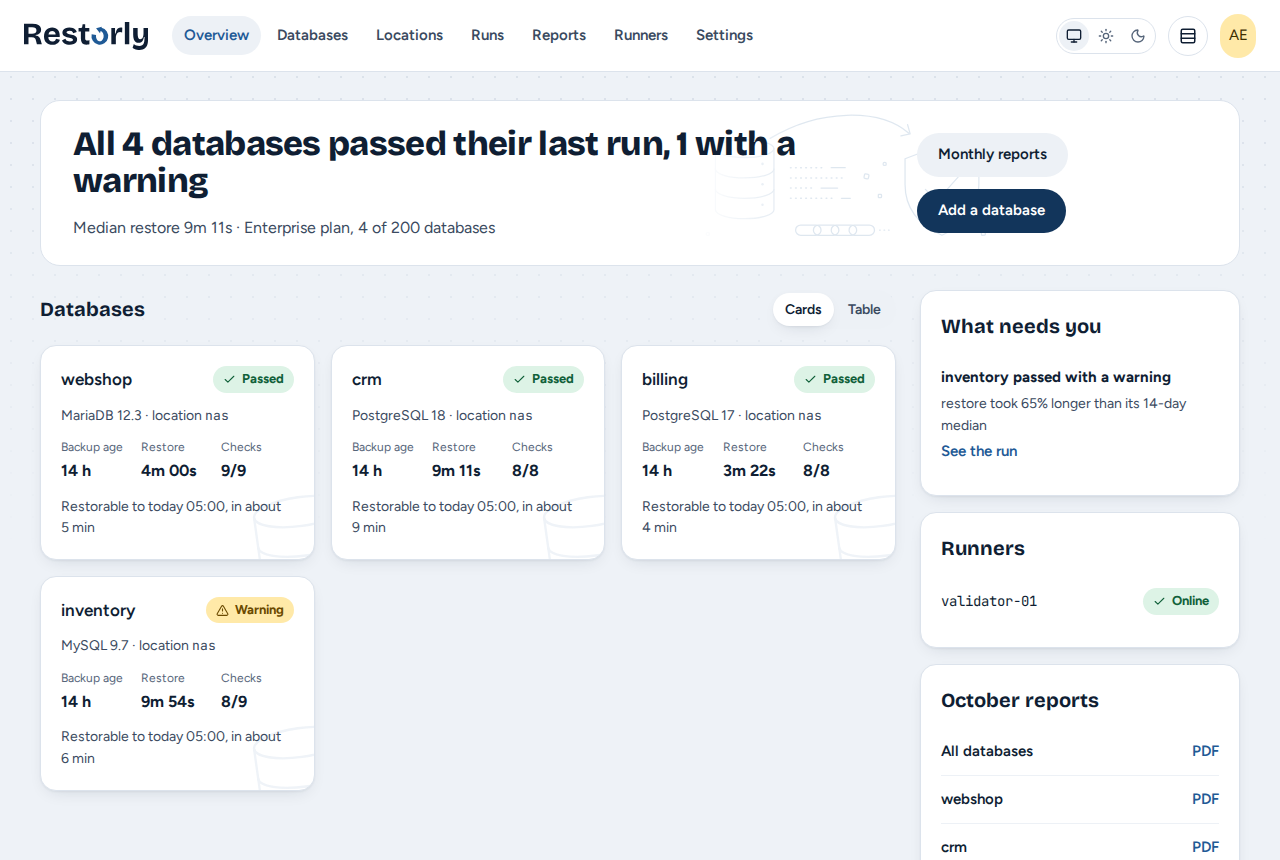
Backup mode dumps production as a read-only user, stores the backup at your location, rotates old ones, and validates each new backup right after it is written.
Restorly restores every backup it is given, on a schedule, checks that the data is really there, and signs a report anyone can verify. On your servers, inside your network.
Backups where they already land
2In a throwaway, offline container
3Integrity, consistency, your own SQL
4A report anyone can check
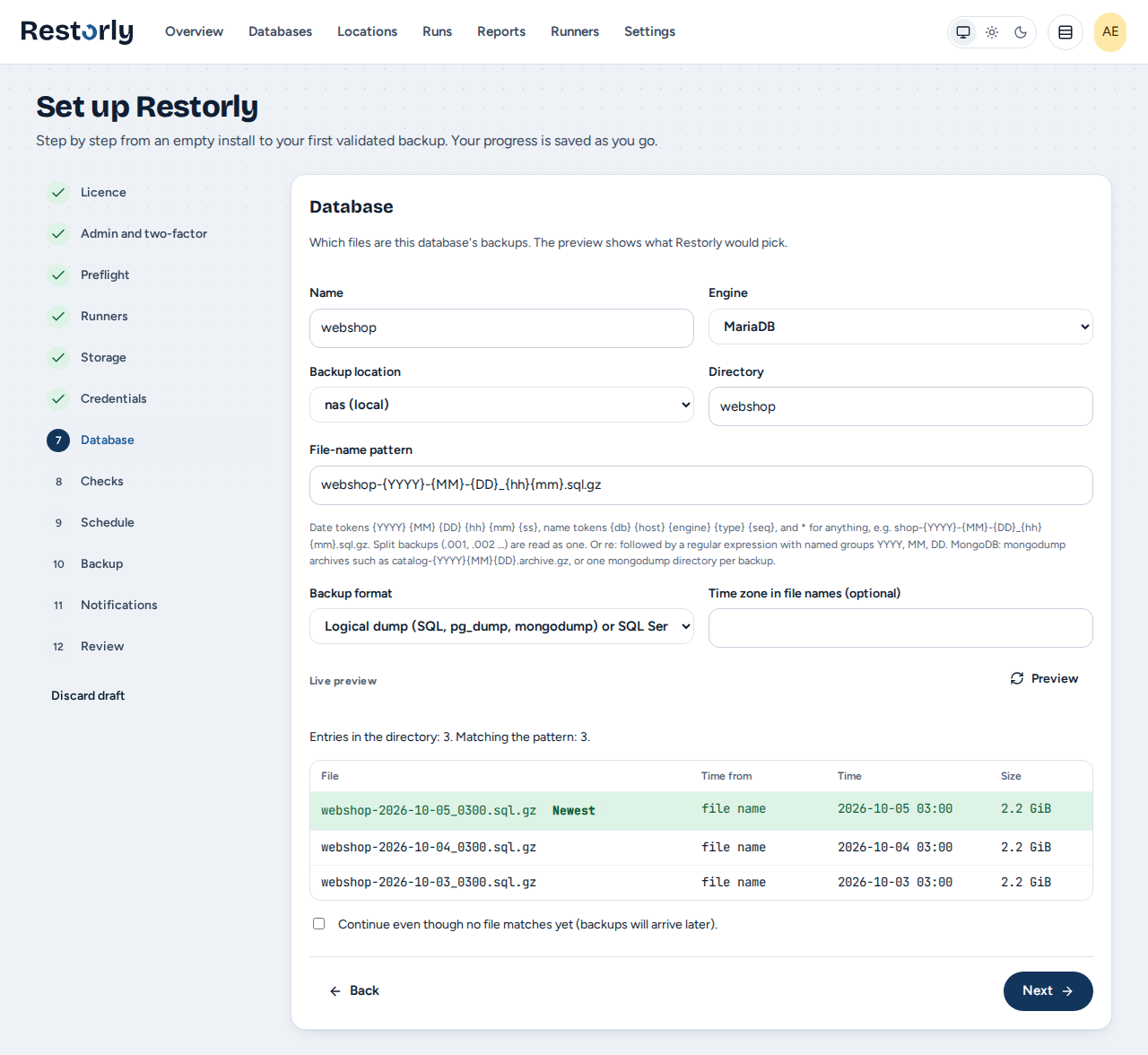
No new backup tool. Point Restorly at the place your backups land and describe how the files are named; the panel shows which files match and which is the newest, live, as you type.
Many databases on one server? Set up one, then import the rest at once (Business and Enterprise).
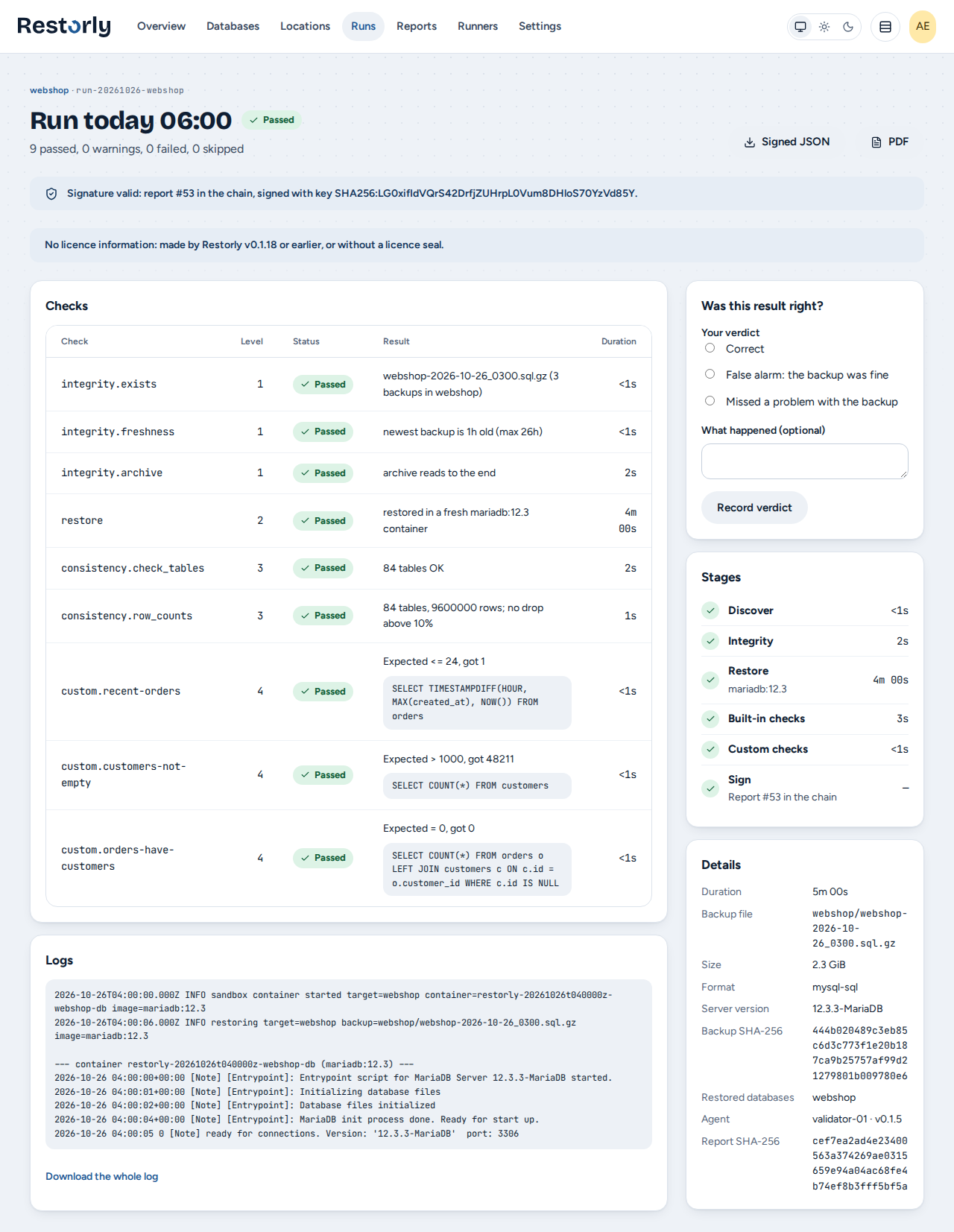
Each backup is restored into a fresh container of the same database version, on a host you control. The container has no network and no published ports, it is removed after the test, and production is never written to.
Logical dumps (also mydumper's), MariaDB and PostgreSQL physical backups, pgBackRest, Barman and WAL-G backups, mongodump archives, and SQL Server full backups with their differential and log backups. SQL Server runs under your own licence settings.
Validated versions, each backup restored on its own: MariaDB 10.11, 11.4, 11.8, 12.x and 13.x; MySQL 8.0, 8.4, 9.x and 26.x; PostgreSQL 15, 16, 17 and 18; MongoDB 7.0, 8.x and 9.x; SQL Server 2017, 2019, 2022 and 2025. Need another version? Ask for it: versions are added as customers ask.
SELECT COUNT(*) FROM orders
WHERE created_at > NOW() - INTERVAL 1 DAY
Every run produces a report signed with the install's own Ed25519 key and chained to the one before, so a removed or edited report is detected. The PDF is a rendering of the signed report and can be checked against it. Your auditor checks both at restorly.eu/verify, in the browser. Monthly summaries are ready to forward.
For audits, an evidence report maps a period of signed reports to the backup controls of NIS2 (Implementing Regulation 2024/2690, point 4.2), ISO/IEC 27001 (A.8.13 and A.5.30), DORA (Article 12) and BSI IT-Grundschutz (CON.3): what is covered, where the gaps are. Evidence for your auditor, not a certificate.
Backup mode dumps production as a read-only user, stores the backup at your location, rotates old ones, and validates each new backup right after it is written.
After each sound validation, personal data is masked by your rules in the restored copy and written out as a fresh dump for development and testing. Unmasked personal-looking columns are flagged.
For PostgreSQL and MariaDB, archived logs are replayed on the newest backup, so you see how much data a restore right now would get back, and notice when log archiving quietly stopped.
For encrypted backups, prove that the key you keep offline still opens the newest backup. The key is used once, in memory, and never stored.
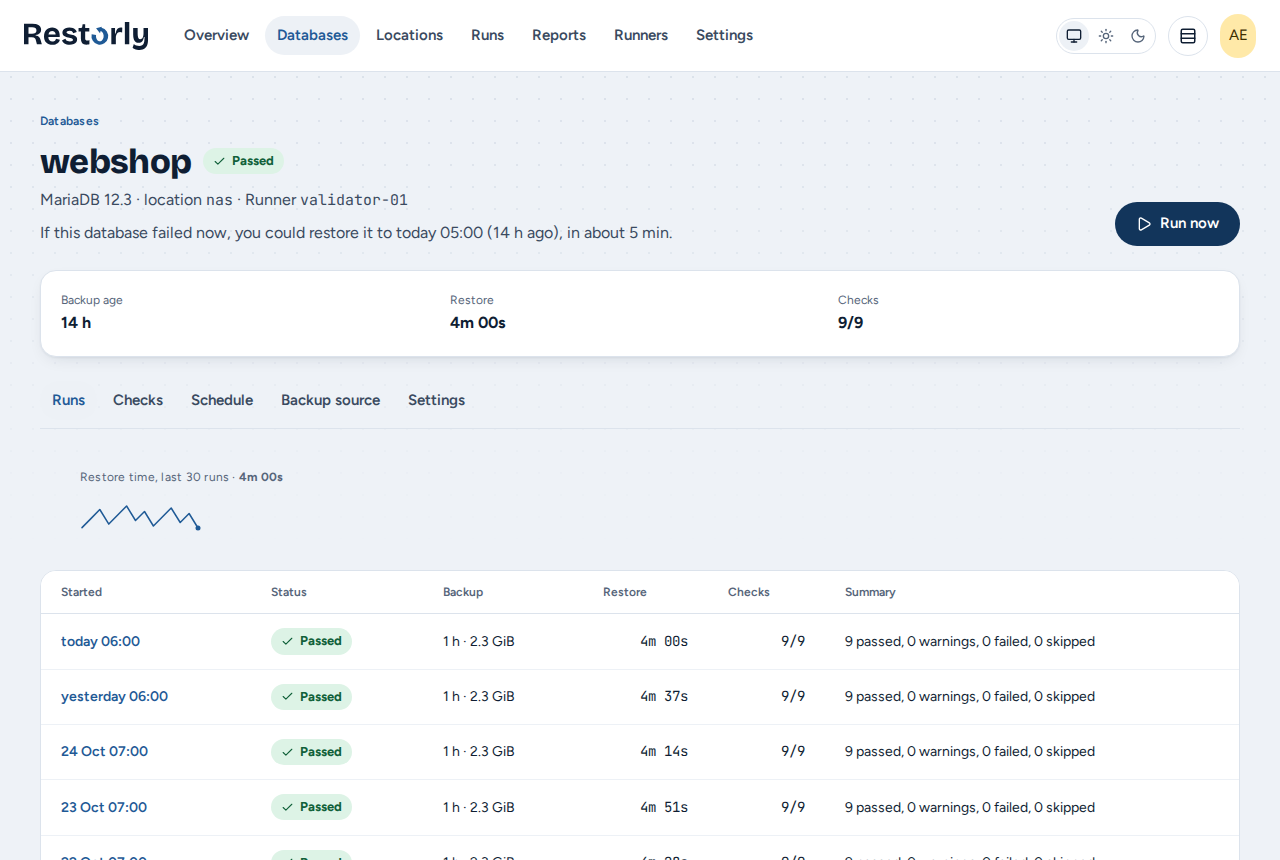
Each database shows its newest backup's age, how long restores take over time, every check and every run. Something off is at the top of the overview, with what to do about it; email, Slack, Teams or a webhook tell you before you look.
Only by restoring them. Restorly does that on a schedule: it finds the newest backup of each database, restores it into a throwaway container on your own server, checks that the data is complete and consistent, runs your own SQL checks, and signs a report with the result: every check that ran, what it expected and what it found, the restore time, and your SQL as it ran. Each report is chained to the one before it, so none can be changed or removed unnoticed, and an audit log records every change to the setup. A backup that is missing, too old, damaged or does not restore is reported with the reason.
No. Restorly runs on a Linux host inside your network and reads your backups where they already are. Restores run in containers on that host without internet access, and the reports stay with you. The only calls to us are the daily licence renewal and the update check: they carry licence and version details, never your data. Both can be switched off: in offline mode Restorly makes no outbound calls at all, and you install the licence file yourself: a new one each month, or a yearly offline licence.
MySQL, MariaDB, PostgreSQL, MongoDB and Microsoft SQL Server. Current and long-term versions of each are validated, each backup restored on its own version; other versions can be requested, and we add them when there is demand. Restorly reads backups from a local disk, a NAS over SMB or NFS, any SFTP host, or S3-compatible object storage, and validates dumps and physical backups, including encrypted ones and pgBackRest repositories.
It gives you the evidence these frameworks ask for: proof that backups are tested and can be restored. Every run produces a signed, tamper-evident report that anyone can check at restorly.eu/verify without installing anything, and the evidence report maps a period's results to the backup controls of NIS2 (Implementing Regulation 2024/2690, point 4.2) and ISO 27001 (A.8.13 and A.5.30). Whether it is enough for your audit is for your auditor to decide.
On a Linux host inside your network, with Docker. The panel listens there; more runners can join from other sites or network segments and dial out to it. Installation takes a signed package from our repository; updates are signed releases you approve.